All the features you need...

Accuracy
WBC4 produces accurate and precise barcodes which adhere to the official guidelines for each barcode type. Barcodes can be adjusted to compensate for the printing process you are using.
Safety
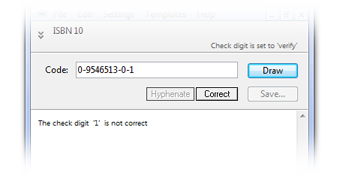
WBC4 checks the data that you enter to ensure you don't produce a bad barcode. The check digit is verified and the structure is checked against the official standards. WBC4 also limits the size of your barcode so you don't break the rules.

Hundreds of Barcode Types
All popular barcode types are supported, plus hundreds of less common types so you won't be stuck when your customer asks for an obscure layout. Barcode types include UPC, EAN, QR Codes, Datamatrix (inlcluding GS1-Datamatrix), ITF case codes, GS1-Databar, ISBN, ISSN, Code 39, Code 128, US Coupon Codes, GS1-128, Codabar, USPS Intelligent Mail, etc.
Easy Barcode Selection
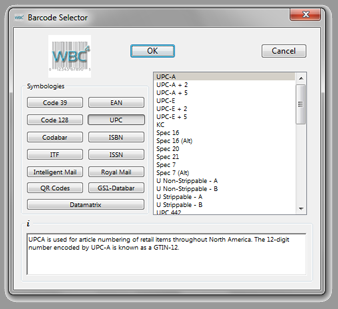
WBC4's range of barcode types is divided into 13 symbologies. Clicking on one of the buttons shows a list of sub-types. The Info box displays a description of each one.
Added text
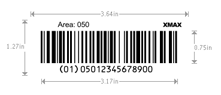
In WBC4 you can add text in any font, style, size and position around the barcode and can even use parts of the barcode data.
Batch Processing
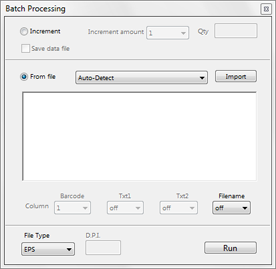
As well as entering barcode data manually, you can also set up incrementing sequences or import all your barcode data (and text data) from an external file. Then just click the Run button and the entire batch of barcodes is saved to disk.

we are