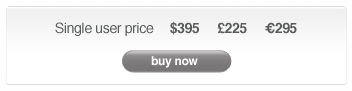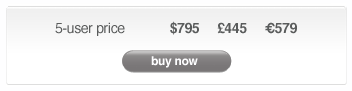
WBC4 for Windows
MBC4 for Mac


WBC4 - Barcode Creation for Windows


WBC4 produces barcodes as EPS, JPEG and TIFF files for use in any graphics software.

WBC4 is highly accurate and will produce high-quality barcodes how you want them, when you want them.

You get unrivalled support with WBC4. Experts with decades of barcode experience will happily guide you though the process of successful barcode production.


All of the tools are at hand for controlling size, color and special barcode characteristics. You have precise control over bar code quality with our unique bar width adjustment features and the back-up of free quality-checking, advice and support from the people who invented PostScript barcode creation, way back in 1988.

Key Features

Highly accurate barcodes produced to official specifications

Hundreds of popular barcode types

Barcodes saved as EPS, TIFF, JPEG or Adobe Illustrator

Free lifetime technical support

Precise adjustment for print gain

User-definable text labels

Save barcodes without the need for fonts

Free updates

Free quality checking

Color support

Built-in data checking and check digit verification


Creating barcodes with WBC4 is quick and easy.

As well as the 200+ barcode types that we've included, new formats are added as new standards emerge (e.g ISBN-13).

High quality bar codes that scan first time, every time have always been vital, but there is now an ever-increasing number of bar code styles in use.

Our aim at Computalabel International is to make the business of barcode production as easy as possible.

WBC4 contains all the bar coding features necessary for generating precise, accurate barcodes which always scan.


Check out the 200+ barcode options

If you download the demo version, you can try out WBC4 before buying, so you have the confidence of buying a product you know will perform every time!

Check out the downloadable demo and don't forget - if you have any questions, we're here to help!

Check Digit Verification
WBC4 compares your typed check digit to the
formula to ensure the code is correct. Other software simply generates a check digit without this self-checking mechanism, which means you can generate the wrong code without warning.

Precise Adjustment for the thickening effect inherent in all imaging devices and for press gain. These adjustments can be made in one micron (0.04 thousandths of an inch) steps for the most precise adjustment of any barcode software. These adjustments can make the difference between a code that scans and disaster!

Other products offer either no adjustment or adjustments based on the average deviation of all printers of a certain resolution but this method will not ensure accurate bar codes.

Adjustment must be made in relation to your particular equipment, so...

Free Quality Testing and Support- not only do all our customers get unlimited email and phone suport, to make sure that your settings are accurate we will test samples free of charge, including any paper samples, film, even press samples.