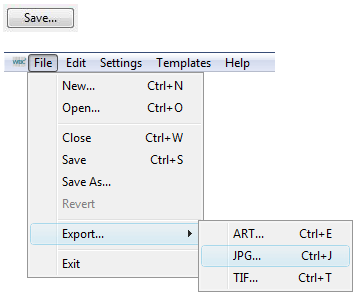
There are a number of ways to save your barcode:
When you click the Save... button or when you select Save or Save As... from the File menu, you can save a regular EPS file which can be used in many popular graphics packages. The file can also be opened and edited in WBC4.
Export as EPS... exports a legacy Adobe Illustrator-compatible file format for editing in older drawing packages.
Export as JPEG... provides a .jpg file - you choose the resolution (d.p.i.) of the image.
Export as TIFF... provides a .tif file - you choose the resolution (d.p.i.) of the image. |